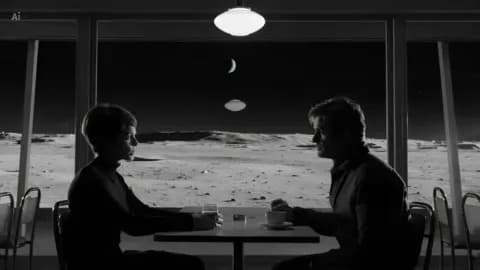
Use Tokatlas Agent to continue the Lunar Café project. Keep the first two shots and remake the third with Earth reflected in the café window.
Use your own project name. Once its chat is selected, you can simply say “make the reflection fainter”. Follow progress here and find the outputs under Project creations.
Start sign-in again from the same Tokatlas connection in your assistant and open the new authorization link. In Claude Code, select the server in /mcp. In Claude on the web or desktop, select Connect in the connectors list.
I can’t find the option to add a connector in Claude
Check which Claude workspace you are in. On a team or enterprise workspace, an owner or administrator may need to add the connector before you can connect your Tokatlas account.
How do I update or disconnect Tokatlas?
For a plugin installation, update Tokatlas in the same marketplace you installed it from, then open a new chat. A remote MCP connection uses the server you configured. To revoke access, sign in to the Tokatlas installation page and remove the assistant under Connected assistants. You can also remove the connector from the assistant itself.
How do I add a creation to a project?
Choose Add to project on the creation, or tell your assistant which project to use. An independent creation appears in Project creations and remains in Creations. If it already belongs to another project, the new project gets a reference in its materials. The original stays where it is.
I connected, but I can’t find my work
Ask your assistant which Tokatlas account is connected and check the environment where you created the work. A new account can show an empty collection. Look for individual generations in Creations. If you specified a project, open Project creations in that project.