

·5 min read
Photo to AI Stickers: GIF, PNG and Single-Sticker Regeneration
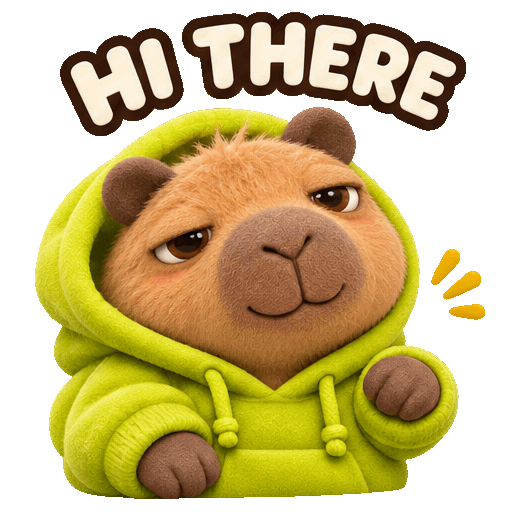
To turn a photo or character image into a sticker pack, upload one clear reference, choose a template or add expressions, edit the captions, and select PNG for still images or GIF for animation. Review each result before downloading individual files or a ZIP of completed stickers. You can regenerate one item without regenerating the rest.
We checked this workflow in TokAtlas on November 13, 2026. The example below uses our existing illustrated capybara character, not a photograph of a real pet. It demonstrates the reference-image workflow; it is not a claim that every pet photo produces identical character consistency.
Start with one reference and two simple expressions
Open the AI sticker creator and create a new collection. Upload one clear image that you have permission to use. The current input accepts JPEG, PNG or WebP up to 10 MiB.
For a quick start, choose an expression template. For this case, we used Add expression twice: a friendly wave with the caption HELLO, and a grateful nod with THANKS. Keep one action and one short caption per item. We selected Soft 3D and GIF output at 1.8 seconds and 5 fps.
View the original capybara reference image. The reference is linked separately to keep this tutorial light.
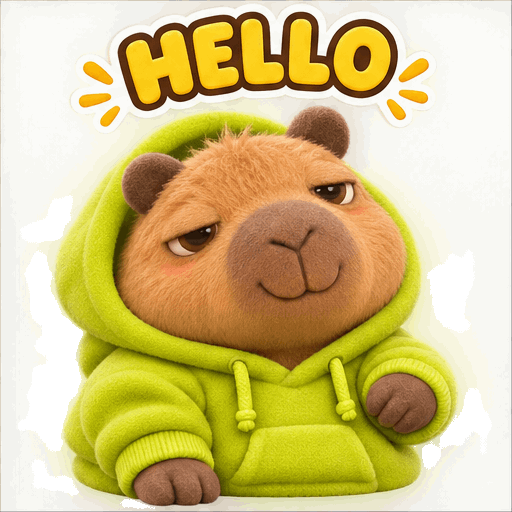
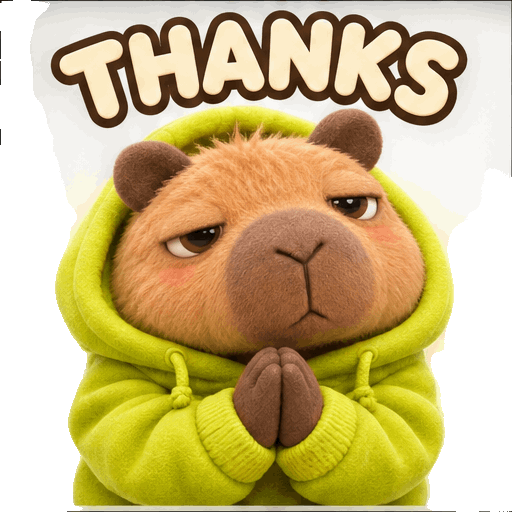
These are still frames extracted from the real GIF downloads. Check the full animation, lettering and character details before treating a result as finished. Similarity in this small example is not a guarantee for every input.
Change one caption and regenerate only that sticker
Editing a caption changes the expression list; it does not rewrite text already drawn in an image. We changed the first caption from HELLO to HI THERE, saved the list and used that item's Generate again control.
The first result became Version 2. We downloaded the completed pack before and after the change: the first GIF changed, while the second GIF was byte-for-byte identical. This directly verified that the second result was preserved in this run. We did not submit another full-pack generation.
Choose PNG or GIF, then check the downloaded files
GIF is the animated path; PNG is the still-image path. We tested PNG in a separate collection so the existing GIF results remained available. This does not demonstrate simultaneous PNG and GIF delivery from a single generation.
Use the individual download control for one result, or Download completed for a ZIP of completed items. The two-item GIF ZIP passed an archive integrity check. Each file was 512 × 512, with 9 frames and a 1.8-second duration. A second existing six-item GIF pack was also downloaded and checked separately.
The separate PNG was 1254 × 1254 with an alpha channel. Its individual download matched the PNG inside its ZIP exactly. We saw residual edge fragments in the output, so this test does not establish a perfectly clean cutout.
A ZIP is a container for files, not a WhatsApp-native or Telegram-native sticker pack. Check the destination app's current requirements; an additional conversion or import step may be needed. Do not assume that a successful download means every chat app will accept the file.
What this small test cost and how long it took
The two GIFs were quoted at approximately US$1.236272 before submission. Their platform request records later showed US$0.096534 and US$0.068406, totaling US$0.164940. The single-item regeneration recorded another US$0.096534. These are observed charges for this account and run, not a promised price.
The PNG request recorded US$0.057438, bringing the four generations to US$0.318912 in total. This includes the single-item redo. The account request records showed success for all four; the visible edge artifacts are still a quality limitation. This is one small test, not a quality benchmark or a guarantee of future cost.
Both initial GIFs were observed ready within about 111 seconds of our recorded submission; the regenerated item was observed ready within about 141 seconds. These are upper bounds from browser observation intervals, not precise model latency. The request log's 0.0-second field was not used as generation time.
The GIF request records identified gpt-image-2.6-sunburst. Model routing and prices can change. Check the live estimate and your settled records; evaluate the result, not just whether a request succeeded. For the accounting method, see how to measure cost per accepted AI task.
Questions before making your own pack
Do I need to write a long prompt?
No. Start with a template, then edit the expression and caption fields. Our custom example used one short action per item rather than a long prompt. Review the result instead of assuming the template guarantees quality.
Do I have to regenerate the whole pack to fix one sticker?
No. In this test we regenerated the first item and verified that the second downloaded GIF did not change. Use the individual item's control. Generating again can incur another charge.
Can I download only the completed stickers?
Yes. We verified the completed-items ZIP and individual download workflow. Check the ready count and inspect the archive contents; a ZIP is not proof that every requested item completed.
Does the PNG option guarantee a perfect transparent cutout?
Inspect the actual file and its edges against light and dark backgrounds. File format alone does not establish clean transparency, and automated cutouts can leave visible edge artifacts.