

·3 min read
How to Make a Storyboard from One Reference Image
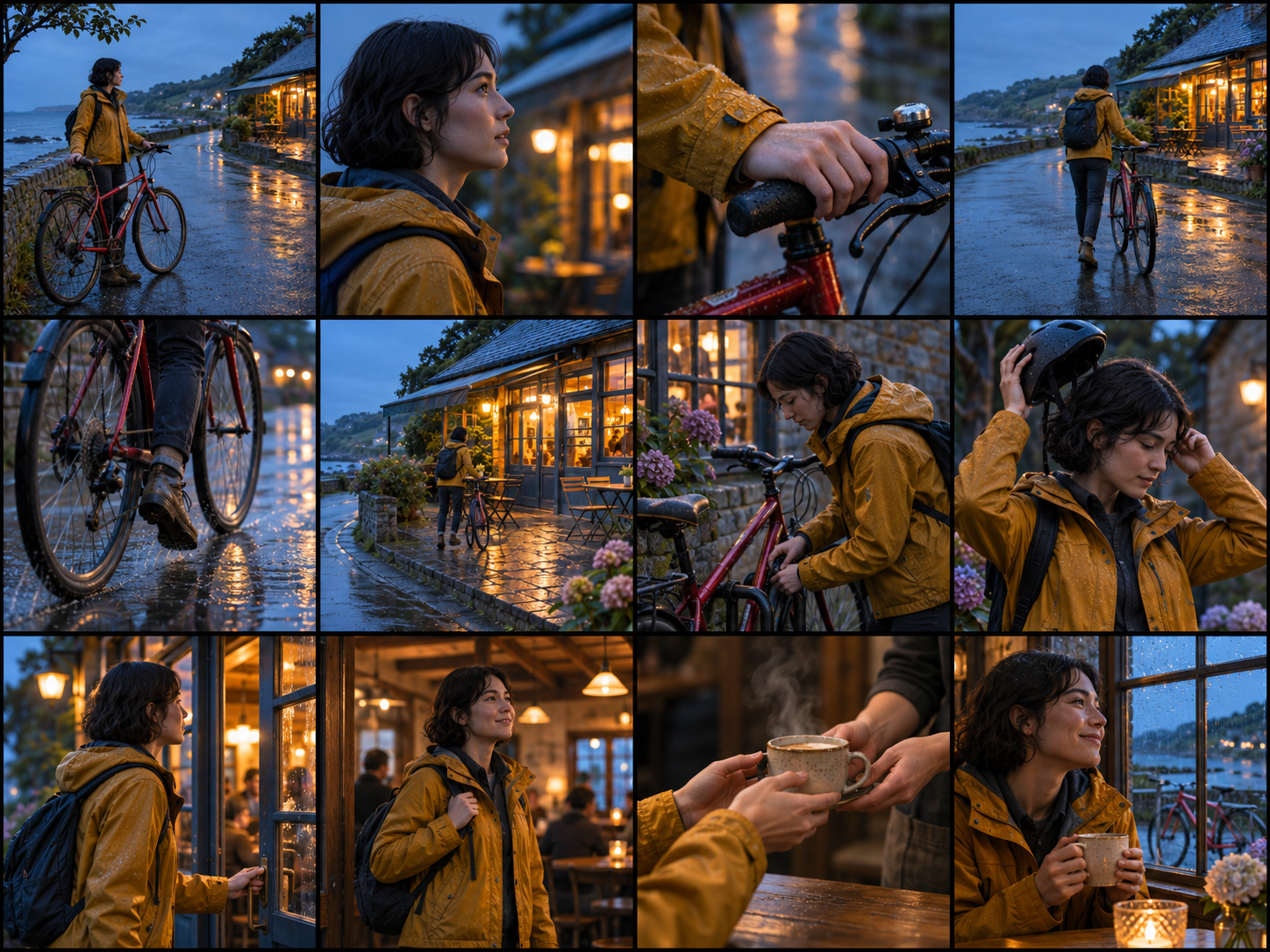
An AI storyboard can help you review a sequence before spending time or money on final shots. In TokAtlas, upload a reference image, describe the story and choose a grid. The current result is one combined image, not a set of separate frames. The examples on the tool page are illustrative; this guide does not claim a new end-to-end generation test.
What to prepare
Choose a clear character, product or scene image that you have permission to use. Write a short story and list the shots in order. Include details that should remain consistent, such as clothing, product shape, location and time of day. The tool requires one image and a written brief; its upload accepts PNG, JPEG or WebP up to the limit shown in the interface.
Build a six-panel brief
Open the AI Storyboard Generator. Upload your reference image and select the six-panel grid. Adapt this sample to your project:
A courier in a yellow raincoat delivers a small parcel on a rainy evening. Keep the same coat, parcel and city street across all six panels. Panel 1: wide shot of the street. Panel 2: medium shot of the courier checking the address. Panel 3: close-up of the parcel. Panel 4: side view of the courier approaching the door. Panel 5: close-up of the recipient opening it. Panel 6: wide shot of the courier leaving. Use cinematic realism; arrange panels left to right, top to bottom.
This is a sample brief, not a promised result. Choose a visual style and sheet orientation, check the displayed estimate after uploading the reference, and generate. Other available grids are 4, 9 and 12 panels; they control the layout, not the exact content of every shot.
Review before turning panels into video
Check the reading order, missing actions, character identity, clothing, product details and grid boundaries. A reference image guides appearance; it does not guarantee identical faces or products in every panel. Revise the brief and regenerate when needed, after checking the new quote.
Download the combined sheet. Automatic panel splitting is not currently available, so crop individual frames separately before using an image-to-video workflow. The storyboard is a visual plan, not a finished video, timed animatic or editable shot list.
Frequently asked questions
Can I create a storyboard from text alone?
This TokAtlas play currently requires a reference image as well as a story description.
Can I download every panel as a separate file?
The current output is one combined image. Crop the panels separately if you need individual files.
Will every panel keep the same character?
Consistency can vary. Give the tool a clear reference and repeat essential details in the brief, then inspect each panel.
How much does it cost?
The interface shows an estimate after the required reference is uploaded. The actual charge depends on the selected model and request; check the quote before generating.